
Education - Numberble

Synchronize Meaning in 4 Contexts, Plus the Drift Problem

synchronize

This page explains what synchronize means in the four ways people actually use it, from wristwatches to phone folders. It also covers the spelling split that trips up writers and the syncing-versus-backup confusion that quietly costs people files. Along the way you’ll see why two things you’ve matched up start drifting apart the moment you stop checking. The core idea is simple, since the word describes making things match in time or in content. What most definitions skip is that a match never lasts on its own. By the end you’ll use the word precisely and know when a sync has stopped doing its job. The Short Answer Synchronizing two or more things means making them happen at the same time or at the same rate. It can also mean making them match in content. People use it for setting clocks, lining up sound and picture, timing movements, and keeping files identical across devices. Four Meanings, With an Example of Each Dictionaries split the word into several senses, but four of them cover most of what you’ll run into. Engineers treat the idea as a field of its own, and the encyclopedia article on coordinating events so a system operates in unison opens with an orchestra conductor keeping players in time. That image works well as a mental anchor for everything below. The first, second and fourth senses are about timing, while the third is about content. A synced folder doesn’t have to change at the same instant as its twin, it only has to end up holding the same files. Keep that split in mind, because the two kinds of synchronizing fail in different ways, and each failure has its own section below. Why Two Matched Watches Never Stay Matched Set two watches to the same second and they’re synchronized for exactly as long as their crystals keep agreeing, which isn’t long. Cheap watch crystals are often rated around 20 parts per million, and that’s a fair stand-in for plenty of consumer clocks. Turning the rating into daily seconds is just percentage math, since 20 parts per million is 0.002 percent, and 0.002 percent of the 86,400 seconds in a day is about 1.7 seconds. The Two-Watch Arithmetic A watch that gains or loses 1.7 seconds a day is no trouble until you compare it with another one. If one runs 20 parts per million fast and the other runs 20 slow, the gap between them grows at 40 parts per million, which is about 3.5 seconds a day. After a 30-day month, the two watches you carefully matched at four o’clock would disagree by about a minute and 44 seconds. That’s worst-case arithmetic, not a measurement, and many decent watches do far better. Temperature nudges a crystal’s rate too, so even a good watch behaves a little differently in a cold pocket than on a warm wrist. Whatever the exact numbers, the gap only grows until somebody resets it, so any plan that depends on matched clocks needs a re-check built in. How Computers Keep Correcting Themselves Computers face the same problem and solve it by resynchronizing constantly. Many devices use the Network Time Protocol, which repeatedly asks a more accurate clock for the time and adjusts the local one to match. Over the public internet that typically holds time to within tens of milliseconds, and on a local network under ideal conditions it can beat one millisecond. At the top of the chain sit reference clocks such as GPS receivers and atomic clocks, and each level below copies the level above it. Accuracy slips a little at every level and with every extra stretch of network between you and the server, which is why a nearby server beats a distant one. The trick isn’t owning a perfect clock but checking again on a schedule. A Practical Way to Synchronize Two Watches Most people match watches by eyeballing them, which quietly passes one watch’s error to the other. A better method sets every watch against a single shared reference, such as a phone clock that gets its time from the network. The steps below assume analog watches with a crown. The Sync Mistake That Costs People Files A lot of people treat a synced folder as a backup, reasoning that a file living on a laptop and a phone as well as in the cloud must be safe. That feels right because the file really does exist in three places. The catch is that sync software has one job, which is making every copy identical, and it applies that job to mistakes just as faithfully as to good edits. Delete a file on one device and the deletion usually travels to the others. Save over a document by accident, or let ransom ware scramble a folder, and the damaged version can replace the good one everywhere within moments. Many services keep deleted files or earlier versions for a limited time, which can rescue you, but that’s a recovery feature added on top of syncing, not part of it. Conflicts are the other quiet failure. If two devices edit the same file while one of them is offline, the service has to pick a winner or keep both versions, and the winner isn’t always the one you’d have chosen. Some services save a second copy with a conflict label instead of overwriting, which is safer but leaves you to merge the two by hand. The correct mental model is that syncing protects you from a lost device, while a backup protects you from a lost decision. If a laptop is stolen, your files are still in the cloud and on your phone. If you delete the wrong folder on Tuesday, only a backup with history, kept somewhere that doesn’t mirror your changes, gets it back on Friday. Mirroring is not the same as remembering. Synchronize or Synchronise, and Where the Z Comes From Both spellings are correct, and the difference is regional rather than a change in meaning. … Read more
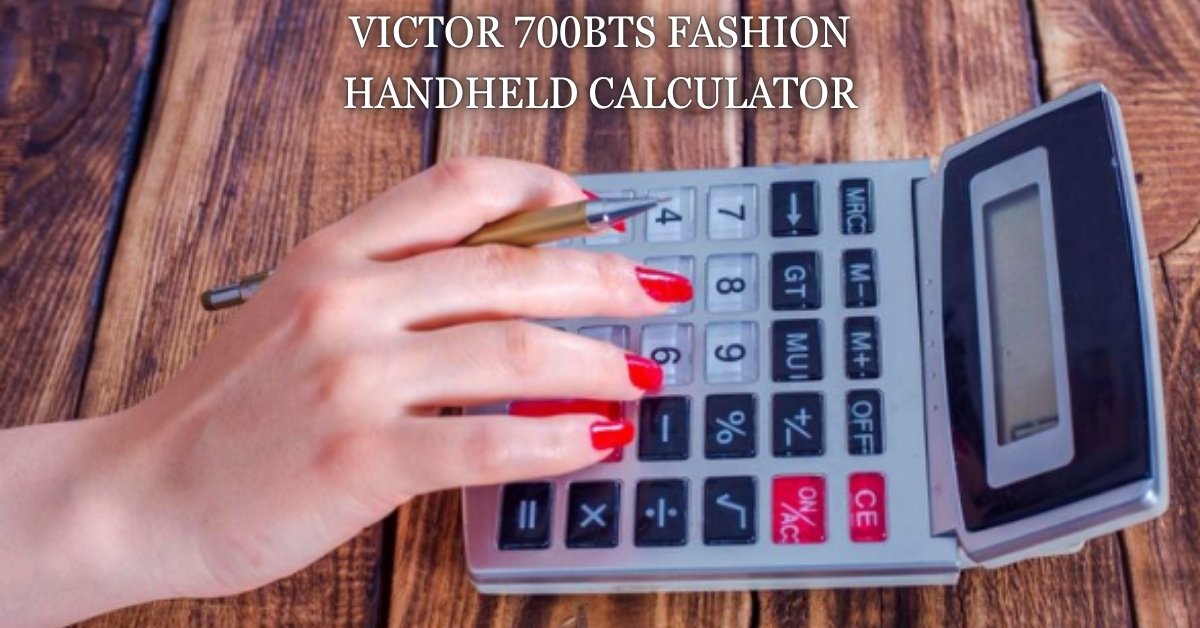
Victor 700BTS Fashion Handheld Calculator: Right Fit?

victor 700bts fashion handheld calculator

A basic school calculator sounds simple until you’re staring at a listing full of specs and no real context. This piece tells you exactly what the Victor 700BTS fashion handheld calculator does, who it actually suits, and where it falls short once math gets harder than arithmetic. You’ll walk away knowing whether it belongs in a third grader’s pencil case or a teenager’s backpack, and what the name on the box really means. Short Answer The Victor 700BTS fashion handheld calculator is an 8-digit basic calculator with percent, square root, and change sign functions, built for elementary and middle school arithmetic rather than algebra, trigonometry, or standardized test math. What This Calculator Actually Is Victor Technology sells the 700BTS as a compact, four-function-plus calculator with a large 8-digit LCD screen and 14mm display digits, which is noticeably bigger than the type on most pocket calculators twice its price. The housing is translucent plastic in colors like lime, blueberry, and cranberry, and that colorful, see-through shell is the entire reason “fashion” shows up in the product name. It runs on hybrid solar and battery power, uses a single AG10 button cell as backup, and includes an automatic shutoff to save that battery when nobody’s using it. Every listing across retailers repeats the same core functions: percent, change sign, square root, and three-key independent memory. That’s a real, if short, list. It’s not a scientific calculator and never claims to be one, so there’s no exponent key, no fraction mode, and no trigonometric functions anywhere on the keypad. Key Specs at a Glance Which Grade Levels It Actually Fits Retailers list this calculator for grade 3 and up, and that number lines up with what the functions can actually do. A child learning multiplication tables, basic percentages, or square roots for the first time gets everything they need here, and the oversized display makes it genuinely easier on younger eyes than a cramped scientific model. That’s a real advantage, not marketing filler, since plenty of kids struggle to read tiny calculator screens long before they struggle with the math itself. Where it stops working is the moment coursework moves into algebra with negative exponents, scientific notation, or graphing. None of the top listings mention this limitation directly, because they’re written to sell the product, not to steer a parent away from a mismatch. If a student needs a calculator for pre-algebra homework or beyond, this model will handle the arithmetic parts fine but leave them stuck the first time a problem calls for a function key that isn’t there. Where the Name Trips People Up Searches for this exact product routinely mix in confusion the listings never address, so it’s worth clearing up directly. “BTS” in the model number has nothing to do with the K-pop group, despite how often that acronym shows up elsewhere online; it’s simply Victor’s internal naming convention for this particular colorway line, the same way many office brands tack a short code onto a base model number. “Fashion” is doing similar work, describing the bright translucent housing rather than any wearable or style-industry angle. This mismatch between what a name sounds like and what it actually means is common with product model numbers, and it’s exactly the kind of gap a spec sheet never bothers to close. Once you know BTS refers to a color and finish variant rather than anything else, the rest of the listing makes a lot more sense, and you can stop wondering if you’re looking at the wrong product entirely. How It Stacks Up Against Other Victor Pocket Models Victor sells several pocket calculators built on a similar shell, and the differences matter more than they first appear. The Victor 900 uses a smartphone-inspired styling with a similar function set, while the 908TK and other multicolor packs swap the translucent housing for a more traditional finish at a comparable price point. None of them add scientific functions over the 700BTS, so switching models within Victor’s basic lineup is mostly a choice about color and grip rather than capability. That percent key is where this calculator earns its keep for everyday use, whether that’s a student checking a grade percentage or a parent splitting a bill. If you want to double check a percent calculation without digging the physical device out of a bag, a free percentage calculator online handles the same math instantly and shows the steps, which can help a student confirm they’re reading the calculator’s answer correctly in the first place. Price, Packs, and Where the Better Deal Sits Single units of the 700BTS typically run between six and eleven dollars depending on the retailer, while classroom-sized packs bring the per-unit price down noticeably. A five-pack lands around thirty three dollars, and ten-packs from office suppliers run roughly seventy seven to eighty six dollars, which works out to a similar per-unit cost either way. That pricing pattern tells you something useful: buying in bulk rarely saves much beyond convenience for teachers stocking a full classroom set, since the per-unit math barely moves. For a single household buying one calculator for one kid, the individual unit price is the only number that matters, and it sits solidly in impulse-purchase territory for back-to-school shopping. Anyone weighing a bigger multipack against several single units should compare current listed totals directly, since shipping fees and seller markups shift those numbers more than the base price does. Battery Life and the Solar Backup The AG10 backup battery only kicks in when there isn’t enough ambient light for the solar cell, which is standard behavior across most hybrid-powered calculators of this size and predates this specific model by decades. Solar-powered calculators first appeared commercially in the late 1970s and quickly became the industry default for basic models precisely because the low power draw of an LCD screen barely taxes a small solar cell. In practice, that means a student using this calculator mostly under classroom lighting or near a window will rarely, if ever, need … Read more